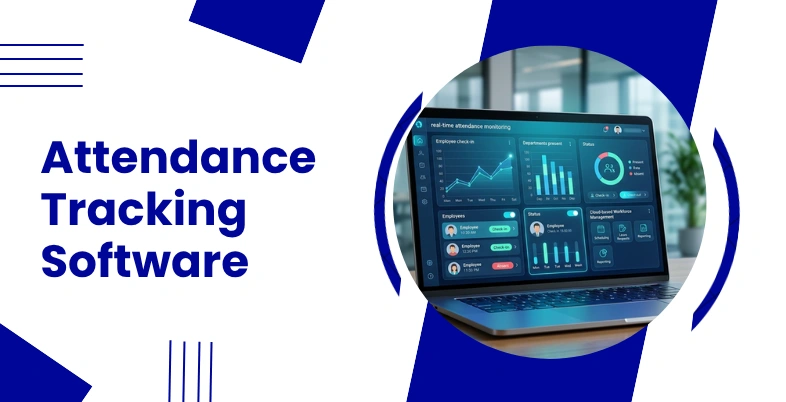
Managing employee attendance has become increasingly important as businesses adopt hybrid, remote, and field-based work models. Attendance tracking software helps organisations monitor working hours, shifts, leave requests, overtime, and employee productivity with greater accuracy and efficiency.
Modern solutions now offer features such as biometric integration, GPS-based attendance, mobile check-ins, automated timesheets, payroll synchronisation, and real-time reporting. These tools reduce manual errors, improve workforce accountability, and simplify HR operations. Whether you run a small business or a large enterprise, choosing the right attendance tracking software can significantly enhance workforce management.
What Is Attendance Tracking Software?
Attendance tracking platform is a workforce management solution designed to monitor and record employee attendance, working hours, shifts, breaks, overtime, and leave requests. Instead of relying on manual registers or spreadsheets, businesses use these digital tools to automate attendance management and improve accuracy.
Modern attendance tracking platformoften includes features such as biometric integration, GPS-based check-ins, mobile attendance, geofencing, shift scheduling, payroll synchronisation, and real-time reporting. These systems help organisations reduce administrative workload, prevent time theft, and ensure compliance with labor regulations. Attendance data can be accessed instantly, making it easier for HR teams and managers to track employee productivity and workforce trends.
As remote, hybrid, and field-based work environments continue to grow, attendance tracking software has become an essential business tool. It helps companies streamline operations, improve transparency, and make better workforce management decisions while saving time and reducing human errors in attendance records.
How We Selected These Tools (Our Evaluation Criteria)
We evaluated attendance tracking software based on functionality, ease of use, automation capabilities, scalability, integrations, pricing, customer feedback, and overall value to help businesses choose reliable workforce management solutions.
- Attendance Tracking Accuracy: We prioritised tools that accurately record attendance, working hours, overtime, breaks, and employee shifts with minimal errors.
- Ease of Use: We selected software offering intuitive dashboards, simple navigation, and quick setup for administrators and employees alike.
- Automation Features: Tools with automated attendance logging, leave management, shift scheduling, and payroll synchronisation received higher evaluation scores.
- Mobile Accessibility: We favored platforms providing mobile apps, GPS tracking, geofencing, and remote attendance capabilities for distributed teams.
- Integration Capabilities: Software supporting payroll systems, HR platforms, biometric devices, and third-party business applications ranked more favorably.
- Pricing and Value: We compared subscription costs, feature availability, scalability, and overall value delivered to businesses of different sizes.
- Customer Reviews and Support: User satisfaction, customer support quality, software reliability, and vendor reputation were important factors in our assessment.
Quick Comparison Table: Top 10 Attendance Tracking Software At a Glance
| Software | Best For | Key Features | GPS Tracking |
| Time Doctor | Remote Teams & Productivity Monitoring | Time tracking, screenshots, attendance reports, productivity analytics | Yes |
| Connecteam | Deskless & Field Employees | Employee scheduling, attendance tracking, task management, communication tools | Yes |
| Buddy Punch | Small & Medium Businesses | Online time clock, PTO tracking, facial recognition, attendance management | Yes |
| Jibble | Startups & Small Businesses | Attendance tracking, facial recognition, timesheets, GPS attendance | Yes |
| Deputy | Shift-Based Workforces | Scheduling, attendance tracking, labor compliance, shift management | Yes |
| BambooHR | HR-Focused Organizations | Attendance management, leave tracking, employee database, reporting | Limited |
| Rippling | Growing Businesses | Workforce management, attendance, payroll, HR automation, device management | Limited |
| QuickBooks Time | Payroll & Accounting Users | Time tracking, scheduling, GPS monitoring, payroll synchronisation | Yes |
| Hubstaff | Remote & Hybrid Teams | Time tracking, GPS tracking, productivity monitoring, project management | Yes |
| Clockify | Freelancers & Budget-Conscious Teams | Time tracking, attendance monitoring, project tracking, reporting | Limited |
List of Top Best Attendance Tracking Software
1. Time Doctor

Time Doctor is a comprehensive attendance and workforce productivity management platform designed primarily for remote, hybrid, and distributed teams. The software helps businesses track employee attendance, work hours, productivity levels, website usage, and application activity in real time. It is widely used by companies that want detailed visibility into how employees spend their working hours. In addition to attendance tracking, Time Doctor offers automated timesheets, payroll integrations, project tracking, and performance reporting.
Its screenshot monitoring and productivity analytics features make it particularly valuable for remote workforce management. Businesses seeking accurate attendance records and detailed employee productivity insights often choose Time Doctor because of its strong monitoring and reporting capabilities.
Key Features:
- Employee attendance and time tracking
- Productivity monitoring and screenshots
- Automated timesheets
- Payroll integrations
- Website and app usage tracking
- Detailed workforce reports
- Project and task tracking
Pros:
- Excellent remote team monitoring
- Strong productivity insights
- Accurate attendance records
- Detailed reporting features
- Supports payroll automation
Cons:
- Monitoring features may feel intrusive
- Higher pricing than basic tools
- Setup may require configuration
Best For:
- Best for remote businesses needing attendance tracking and productivity monitoring for distributed teams.
Pricing:
- Basic– $6.67 per user / month
- Standard– $11.67 per user / month
- Premium– $16.70 per user / month
- Enterprise– Custom Plan
2. Connecteam

Connecteam is an all-in-one workforce management platform built specifically for deskless employees, field workers, and mobile teams. The software combines attendance tracking, employee scheduling, communication tools, task management, and HR functions within a single platform. Employees can clock in and out through a mobile app while managers monitor attendance, locations, and work progress in real time. GPS tracking and geofencing features help ensure accurate attendance records for field operations.
Connecteam is particularly popular among construction companies, logistics businesses, cleaning services, and retail organisations. Its user-friendly interface and mobile-first design make it easy for organisations to manage employees working outside traditional office environments.
Key Features:
- Mobile attendance tracking
- GPS and geofencing tools
- Employee scheduling
- Task management features
- Internal communication tools
- Leave management system
- Workforce reporting dashboard
Pros:
- Mobile-first platform
- Easy to use interface
- Strong field employee support
- Comprehensive workforce tools
- Free plan available
Cons:
- Advanced features require upgrades
- Reporting customisation is limited
- Learning curve for larger teams
Best For:
- Best for field service businesses and deskless workforces requiring mobile attendance management.
Pricing:
- Basic- $29/mo
- Advanced- $49/mo
- Expert- $99/mo
- Enterprise- Custom Pricing
3. Buddy Punch
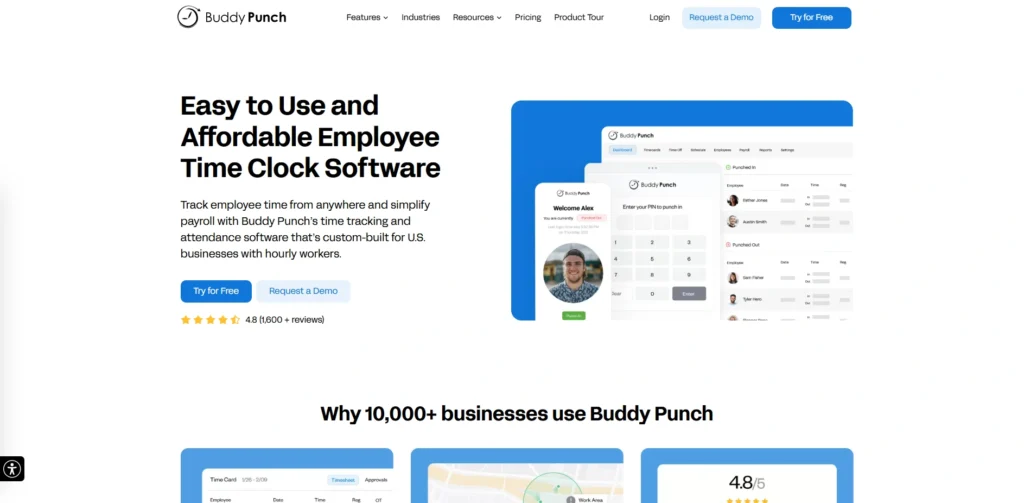
Buddy Punch is a simple yet powerful attendance tracking solution designed for small and medium-sized businesses. The software helps organisations manage employee attendance, time tracking, overtime calculations, paid time off requests, and shift scheduling. One of its standout features is facial recognition and GPS tracking, which helps prevent buddy punching and attendance fraud. Managers can generate attendance reports, monitor employee hours, and integrate attendance data with payroll systems.
Buddy Punch is appreciated for its ease of use and straightforward setup process. Businesses that need reliable attendance management without complex implementation requirements often find Buddy Punch to be a practical and cost-effective solution.
Key Features:
- Online employee time clock
- GPS attendance tracking
- Facial recognition verification
- Overtime calculations
- PTO and leave management
- Payroll integrations
- Attendance reporting tools
Pros:
- Simple setup process
- User-friendly dashboard
- Effective attendance controls
- Strong payroll integrations
- Reliable mobile application
Cons:
- No permanent free plan
- Limited advanced analytics
- Fewer HR features available
Best For:
- Best for small and medium businesses seeking simple attendance and time tracking.
Pricing:
- Starter- $5.49/user/mo
- Pro- $6.99/user/mo
- Enterprise- $11.99/user/mo
4. Jibble
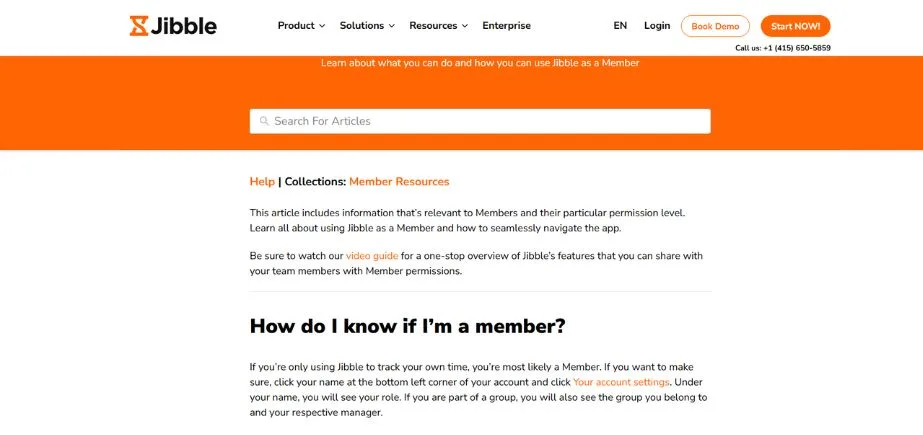
Jibble is a cloud-based attendance and time-tracking software that offers powerful features with an attractive free plan. It enables businesses to track attendance through mobile devices, desktops, web browsers, and biometric integrations. The platform includes GPS tracking, facial recognition, timesheets, project tracking, and attendance reporting. Jibble is especially suitable for startups, small businesses, freelancers, and growing organisations seeking affordable workforce management solutions. Its free version provides extensive functionality that many competitors reserve for paid plans.
With its focus on simplicity, accuracy, and affordability, Jibble has become a popular attendance tracking choice for organisations looking to improve workforce accountability while controlling software costs.
Key Features:
- Attendance and time tracking
- Facial recognition attendance
- GPS and geofencing support
- Employee timesheets
- Leave management tools
- Project tracking features
- Automated reporting
Pros:
- Generous free version
- Easy implementation process
- Strong attendance accuracy
- Mobile-friendly platform
- Excellent value for startups
Cons:
- Advanced reports require paid plans
- Limited customisation options
- Premium features cost extra
Best For:
- Best for startups and small businesses needing affordable attendance tracking software.
Pricing:
- Free- ₹0
- Premium- ₹37.99 per user/month
- Ultimate- ₹57.99 per user/month
- Enterprise- Custom Plan
5. Deputy
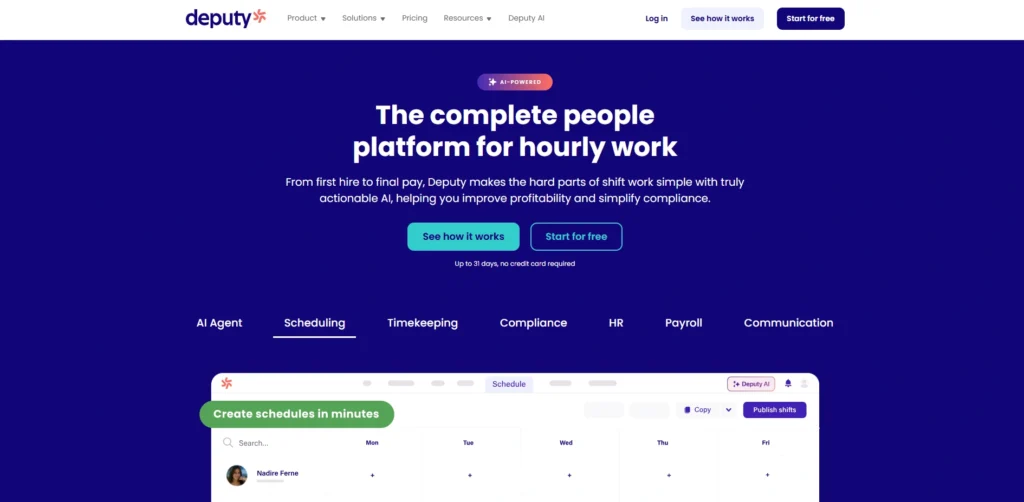
Deputy is a workforce management solution that specialises in employee scheduling, attendance tracking, and labor compliance. The platform is widely used in industries such as hospitality, healthcare, retail, and food service, where shift management plays a critical role. Employees can clock in using mobile devices, tablets, or point-of-sale systems, while managers monitor attendance and labor costs in real time. Deputy also offers automatic scheduling, leave management, payroll integration, and workforce analytics.
Its scheduling capabilities help businesses optimise staffing levels while maintaining compliance with labor regulations. Organisations with shift-based operations often choose Deputy because it combines attendance tracking with advanced workforce planning tools.
Key Features:
- Employee scheduling tools
- Attendance management system
- Shift planning automation
- Leave management features
- Labor compliance support
- Payroll integrations
- Workforce analytics
Pros:
- Excellent shift scheduling
- Strong workforce management
- Easy employee scheduling
- Good compliance features
- Mobile app available
Cons:
- Pricing can increase quickly
- Setup takes time
- Limited free options
Best For:
- Best for retail, hospitality, and healthcare businesses managing shift-based employees.
Pricing:
- Lite- $5.50 per user per month
- Core- $7.25 per user per month
- Pro- $10 per user per month
Suggested Read:
6. BambooHR

BambooHR is a leading human resources management platform that includes attendance tracking as part of its broader HR suite. The software helps organisations manage employee records, attendance, leave requests, onboarding, performance management, and workforce reporting from a centralised dashboard. BambooHR is particularly suitable for growing companies that want attendance management integrated with their overall HR processes. Employees can submit leave requests, view schedules, and access personal information through self-service portals.
HR teams benefit from automated reporting and employee data management features. BambooHR stands out because it combines attendance tracking with comprehensive human resource management capabilities, reducing administrative complexity for HR departments.
Key Features:
- Attendance tracking tools
- Employee database management
- Leave and PTO tracking
- HR reporting capabilities
- Employee self-service portal
- Performance management tools
- Onboarding support
Pros:
- Comprehensive HR platform
- Easy employee management
- Clean user interface
- Strong reporting tools
- Good customer support
Cons:
- Custom pricing only
- Limited workforce monitoring
- Not ideal for field teams
Best For:
- Best for HR-focused organisations wanting attendance tracking integrated with employee management.
Pricing:
- Core- $10 per employee/month
- Pro- $17 per employee/month
- Elite- $25 per employee/month
7. Rippling

Rippling is a modern workforce management platform that combines attendance tracking, HR management, payroll processing, IT administration, and employee lifecycle management. The software helps businesses automate attendance recording, leave tracking, payroll calculations, and employee onboarding processes. Rippling’s automation capabilities allow organizations to reduce manual administrative work while maintaining accurate workforce records. The platform integrates with hundreds of business applications, making it highly flexible for growing companies.
Businesses that want a unified solution for HR, payroll, and workforce operations often choose Rippling because of its automation-first approach. Its scalability makes it suitable for both rapidly growing startups and larger organisations.
Key Features:
- Attendance and time tracking
- Payroll automation
- Employee onboarding tools
- Workforce management system
- HR and IT integration
- Benefits administration
- Workflow automation features
Pros:
- Highly automated platform
- Powerful integrations
- Scalable for growing businesses
- Strong payroll capabilities
- Centralised workforce management
Cons:
- Higher pricing structure
- Complex setup for beginners
- Some features require add-ons
Best For:
- Best for growing companies seeking an all-in-one HR, payroll, and attendance solution.
Pricing:
- Request a free Pricing Rippling quote
8. QuickBooks Time

QuickBooks Time is an attendance and time-tracking solution designed to work seamlessly with payroll and accounting processes. The software enables employees to clock in and out using mobile devices while managers monitor attendance, project hours, and workforce productivity. GPS tracking and geofencing features improve attendance accuracy for field-based employees. One of its strongest advantages is direct integration with QuickBooks payroll and accounting systems, simplifying payroll calculations and invoicing processes.
Businesses that rely heavily on time-based billing, project tracking, or payroll management often find QuickBooks Time particularly valuable. Its strong financial integrations help reduce administrative effort and payroll errors significantly.
Key Features:
- Employee time tracking
- GPS location monitoring
- Shift scheduling tools
- Mobile attendance recording
- Payroll synchronisation
- Project tracking features
- Detailed timesheet reporting
Pros:
- Excellent payroll integration
- Accurate attendance records
- Strong GPS tracking
- Easy mobile access
- Reliable reporting features
Cons:
- No free plan available
- Can be expensive for larger teams
- Advanced features require upgrades
Best For:
- Best for businesses already using QuickBooks for accounting and payroll management.
Pricing:
- Time Premium- $10/mo
- Time Elite- $20/mo
- Workforce Premium- $44/mo
- Workforce Elite- $67/mo
9. Hubstaff

Hubstaff is a workforce management and attendance tracking platform designed for remote, hybrid, and distributed teams. It provides time tracking, attendance monitoring, productivity analytics, GPS tracking, project management, and workforce reporting capabilities. The software allows businesses to monitor employee work hours, project progress, and productivity levels through automated tracking features. Hubstaff also supports payroll automation and invoicing based on tracked work hours. Its location tracking capabilities make it useful for organisations managing remote employees and field teams simultaneously.
Businesses seeking detailed workforce visibility and performance analytics often choose Hubstaff because it combines attendance management with project and productivity monitoring tools.
Key Features:
- Attendance and time tracking
- Productivity monitoring tools
- GPS location tracking
- Project management features
- Employee scheduling tools
- Payroll automation
- Workforce reporting dashboard
Pros:
- Strong remote team support
- Detailed productivity insights
- GPS tracking available
- Easy payroll management
- Comprehensive reporting tools
Cons:
- Monitoring may concern employees
- Premium plans can be costly
- Limited HR functionality
Best For:
- Best for remote and hybrid teams requiring attendance, productivity, and workforce tracking.
Pricing:
- Starter- $7/seat/mo
- Grow- $9/seat/mo
- Team- $12/seat/mo
- Enterprise- $25/seat/mo
10. Clockify
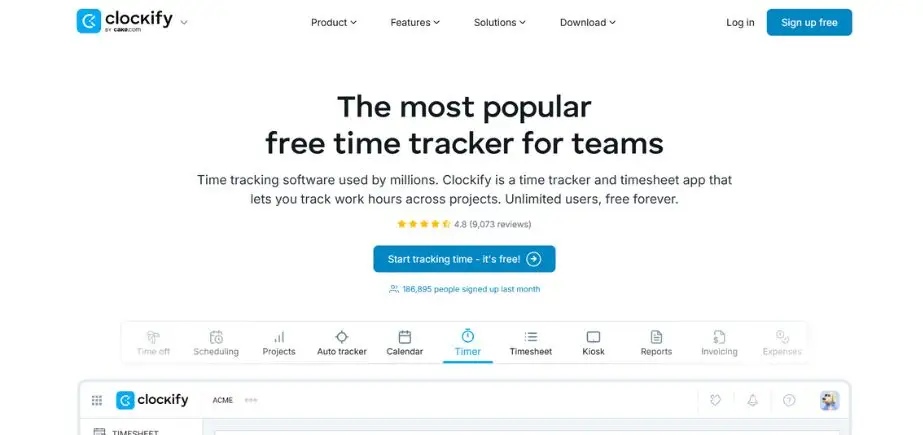
Clockify is one of the most popular free attendance and time-tracking solutions available today. The software enables businesses to track employee attendance, work hours, projects, tasks, and productivity from a centralised dashboard.
Employees can record time through web browsers, desktop applications, and mobile devices. Clockify offers timesheets, attendance reports, project tracking, and team management features even within its free plan. It is particularly suitable for freelancers, startups, agencies, and small businesses seeking cost-effective workforce management tools.
Clockify stands out because it provides a generous free version while still offering advanced reporting and tracking features that help organisations manage attendance efficiently.
Key Features:
- Time and attendance tracking
- Employee timesheets
- Project tracking tools
- Productivity reporting
- Team management features
- Mobile and desktop apps
- Customisable attendance reports
Pros:
- Excellent free plan
- Easy to use interface
- Unlimited users on free version
- Good reporting features
- Suitable for freelancers and teams
Cons:
- Limited advanced automation
- Fewer HR management tools
- Premium reports require paid plans
Best For:
- Best for freelancers, startups, and small teams needing free attendance and time tracking software.
Pricing:
- Free- $0
- Basic- $3.99/month
- Standard- $5.49/month
- Pro- $7.99/month
- Enterprise- $11.99/month
How To Choose The Right Attendance Tracking Software
Choosing the right attendance tracking platform requires careful evaluation of your workforce size, business model, operational requirements, and budget. The ideal solution should improve accuracy, efficiency, and employee management.
- Understand Business Requirements: Identify workforce size, attendance policies, shift structures, and operational challenges before selecting suitable attendance software solutions.
- Check Automation Features: Choose software offering automated attendance tracking, leave management, overtime calculations, and payroll synchronisation for greater efficiency.
- Evaluate Mobile Access: Ensure the platform supports mobile attendance, GPS tracking, and remote workforce management for flexible work environments.
- Review Integration Options: Select software that integrates smoothly with payroll systems, HR platforms, biometric devices, and existing business tools.
- Consider Scalability: Choose a solution capable of supporting future business growth without requiring major upgrades or costly system replacements.
- Compare Pricing Plans: Evaluate subscription costs, feature availability, hidden charges, and overall value to ensure long-term affordability and sustainability.
- Assess Customer Support: Prioritise vendors offering reliable customer support, training resources, and regular software updates for uninterrupted business operations.
Key Benefits Of Using Attendance Tracking Software
Attendance tracking software helps businesses streamline workforce management, improve operational efficiency, and reduce administrative workload. Modern solutions provide accurate attendance records while supporting payroll, compliance, and productivity goals.
- Improved Attendance Accuracy: Automated tracking eliminates manual entry mistakes and ensures accurate records of employee attendance, shifts, and working hours.
- Reduced Administrative Work: HR teams spend less time managing attendance data, allowing greater focus on strategic workforce initiatives and planning.
- Faster Payroll Processing: Accurate attendance information automatically syncs with payroll systems, reducing calculation errors and salary processing delays.
- Better Employee Accountability: Transparent attendance records encourage punctuality, reduce time theft, and improve overall workplace discipline and responsibility.
- Real-Time Workforce Visibility: Managers can monitor attendance instantly, track absences, and make informed staffing decisions using updated workforce data.
- Efficient Leave Management: Employees can submit leave requests digitally while managers approve applications through centralised attendance management systems.
- Support for Remote Teams: Mobile attendance, GPS tracking, and geofencing features help manage remote, hybrid, and field-based employees effectively.
- Regulatory Compliance Support: Attendance software helps maintain labor law compliance by accurately tracking overtime, shifts, and employee working hours.
- Valuable Business Insights: Detailed reports and analytics reveal attendance trends, productivity patterns, and workforce performance for better decision-making.
Common Challenges Attendance Tracking Software Solves
Attendance tracking platform addresses many workforce management challenges by automating attendance processes, improving accuracy, and providing real-time visibility into employee activities across office, remote, and field environments.
- Manual Attendance Errors: Automated attendance recording eliminates spreadsheet mistakes, duplicate entries, and inaccurate time calculations that affect workforce management.
- Payroll Calculation Issues: Integrated attendance data reduces payroll discrepancies by accurately tracking working hours, overtime, leaves, and employee absences.
- Time Theft and Buddy Punching: Biometric verification and GPS-based tracking prevent fraudulent attendance practices and improve workplace accountability significantly.
- Remote Workforce Monitoring: Mobile attendance features help organisations track remote employees efficiently without relying on manual reporting methods.
- Leave Management Complexity: Digital leave requests and approvals simplify absence tracking while maintaining accurate employee attendance records.
- Lack of Real-Time Visibility: Managers gain instant access to attendance reports, helping them monitor workforce availability and operational efficiency effectively.
Final Verdict
Attendance tracking software has become an essential tool for modern workforce management, helping businesses improve accuracy, transparency, and operational efficiency. The best solutions offer features such as automated attendance recording, leave management, shift scheduling, payroll integration, mobile access, and real-time reporting.
Whether you manage a small team, a remote workforce, or a large enterprise, the right software can reduce administrative workload and eliminate manual tracking errors. By carefully evaluating features, scalability, ease of use, and pricing, organisations can select a solution that meets their specific needs and supports long-term productivity, compliance, and employee management goals in 2026 and beyond.
