
If you’ve ever wondered why some WordPress websites effortlessly rank on Google while others struggle to get noticed, the answer often lies in how well they’re optimized. That’s exactly where SEO Plugins For WordPress come into play.
These plugins act like your behind-the-scenes SEO assistant, helping you fine-tune everything from keywords and meta descriptions to site structure and performance. Instead of getting lost in technical complexities, you get simple, actionable suggestions that make your content more search-engine friendly and easier for readers to enjoy.
Whether you’re publishing blog posts, running an online store, or building a business website, the right SEO plugin can make a real difference. It not only helps your content reach the right audience but also ensures your website stays competitive in search results—without requiring you to be an SEO expert.
What Are SEO Plugins for WordPress?
SEO plugins for WordPress are tools designed to help website owners optimise their sites for search engines without requiring advanced technical knowledge. These plugins provide features that simplify tasks such as adding meta titles and descriptions, generating XML sitemaps, optimising keywords, managing redirects, and improving overall content structure.
They also offer on-page analysis, readability checks, and suggestions to enhance content quality and alignment with search intent. Many SEO plugins integrate with analytics tools and provide insights into website performance, helping users make data-driven decisions.
Additionally, they assist in handling technical SEO elements like schema markup, canonical URLs, and indexing settings. By using SEO plugins, users can improve their website’s visibility, increase organic traffic, and ensure their content follows best practices for search engine optimization efficiently and consistently.
Why You Need an SEO Plugin for Your WordPress Site
- Improves Search Rankings: SEO plugins help optimise content, increasing visibility and improving search engine rankings effectively.
- Simplifies Optimization Tasks: They automate technical SEO tasks like meta tags, sitemaps, and schema markup management easily.
- Enhances Content Quality: Plugins provide suggestions to improve readability, keyword usage, and overall content structure for users.
- Saves Time and Effort: Automating SEO processes reduces manual work, allowing users to focus on content creation efficiently.
- Provides Keyword Insights: SEO plugins help analyse and optimise content around relevant keywords for better search performance.
- Improves Website Structure: They organise headings, links, and metadata, making websites more search engine friendly and structured.
- Tracks Performance Metrics: Many plugins offer analytics and reports to monitor traffic, rankings, and SEO improvements over time.
Key Features to Look for in an SEO Plugin
- On-Page SEO Analysis: Provides real-time suggestions for optimising content, keywords, headings, and readability to improve search engine visibility.
- Meta Tag Management: Allows easy editing of meta titles and descriptions for better indexing and improved click-through rates in search results.
- XML Sitemap Generation: Automatically creates and updates sitemaps to help search engines crawl and index your website efficiently.
- Keyword Optimization Tools: Helps analyse keyword usage and suggests improvements to align content with search intent effectively.
- Schema Markup Support: Enables structured data implementation to enhance rich snippets and improve search result appearance.
- Redirect Management: Manages 301 redirects and fixes broken links to maintain SEO value and user experience.
- Readability Analysis: Evaluates content readability and suggests improvements to make it more user-friendly and engaging.
- Integration with Analytics Tools: Connects with platforms like Google Analytics and Search Console for performance tracking and insights.
List of 15 Best SEO Plugins For WordPress
1. Yoast SEO
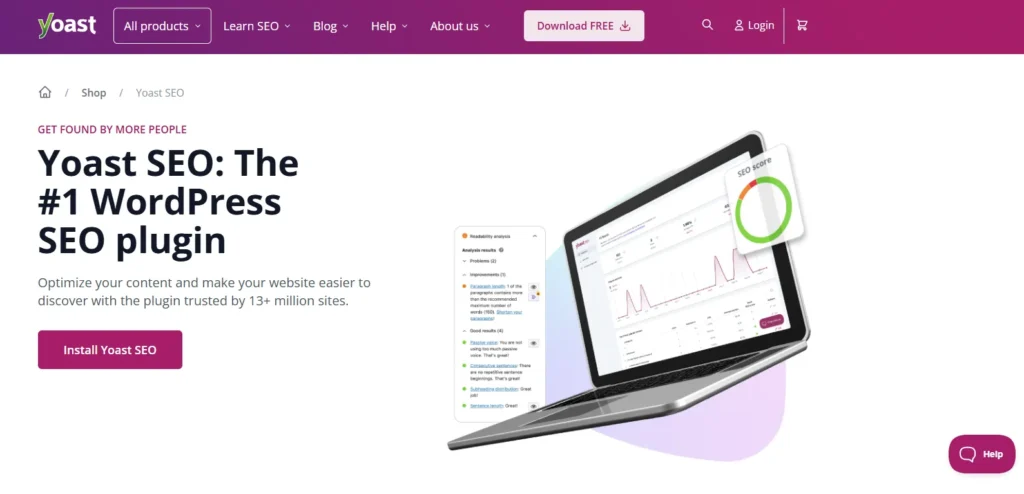
Yoast SEO is a popular on-page optimization WordPress SEO panel and one of the most popular SEO extensions. It assists users to control meta titles, meta descriptions, XML sitemaps, breadcrumbs and readability analysis.
The content feedback of the plugin is real-time, so the correct use of keywords and the structure of the content is ensured. It goes hand in hand with social media previews and schema markup.
Yoast SEO is easy to use but strong enough to be used by advanced users, so it is suitable for blogs, business websites, and eCommerce platforms to enhance search engine appearance and overall content quality.
Website: https://yoast.com/wordpress/plugins/seo/
Key Features:
- On-page SEO analysis and recommendations
- XML sitemaps and breadcrumbs support
- Meta title & description templates
- Readability and keyword optimization tools
- Social media integration and schema support
Pros:
- Very beginner-friendly interface
- Comprehensive optimization suggestions
- Strong community and documentation
- Regular updates and feature improvements
- Integrates with many page builders
Cons:
- Some advanced features are behind a premium paywall
- Can feel heavy due to many options
- The focus keyword is limited in the free version
Pricing:
- $9.90/month
2. All in One SEO (AIOSEO)

All in One SEO (AIOSEO) is one of the most powerful SEO Plugins For WordPress, designed to make the process of SEO easier for WordPress users. It provides on-page optimization, XML sitemaps, schema markups, and social media integration.
The plugin also comes with a TruSEO score that helps users optimize content in an efficient manner. It is also compatible with WooCommerce SEO, local SEO, and advanced redirects.
AIOSEO can be used by both amateurs and professionals desiring a versatile solution with automation capabilities, helping websites increase their rankings and visibility without requiring in-depth technical SEO knowledge.
Website: https://aioseo.com/
Key Features:
- Easy setup wizard for SEO configuration
- On-page and technical SEO tools
- XML sitemaps and schema markup
- WooCommerce & local SEO modules
- SEO audit checklist and competitor analysis services
Pros:
- Beginner-friendly with guided setup
- Wide range of built-in tools
- Good WooCommerce SEO support
- TruSEO score for content optimization
- Strong support and tutorials
Cons:
- Many features require a paid plan
- Some users report interface clutter
- Occasional update issues reported by users
Pricing:
- Basic- $49.50/ year
- Plus- $99.50/ year
- Pro- $199.50/year
- Lite- $299.50/ year
3. Rank Math
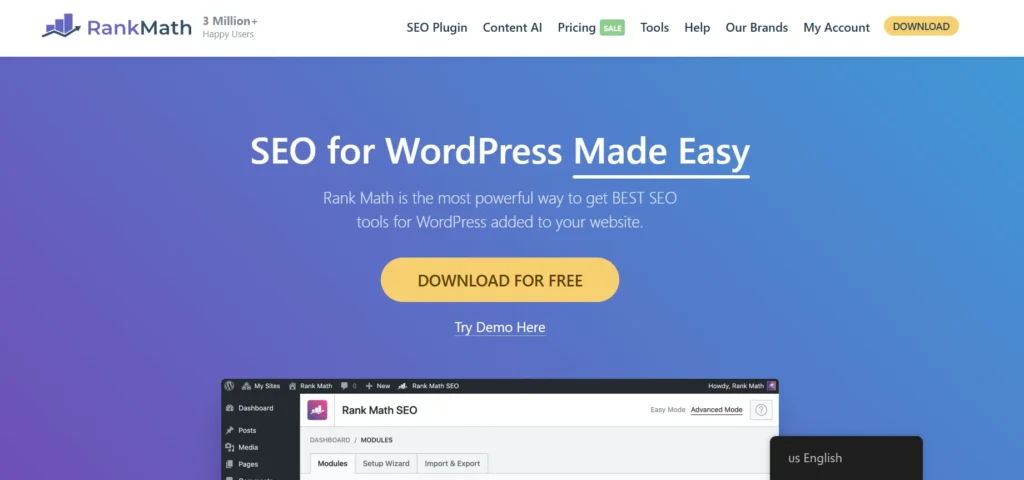
Rank Math is an efficient and lightweight SEO software that integrates multiple SEO tools in a single interface. It offers more sophisticated on-page search engine optimization, schema creation, keyword tracking, and Google Search Console.
Posts can be optimized using detailed suggestions, while redirects, sitemaps, and rich snippets are easily managed within the platform. Rank Math supports multiple keywords per post and includes built-in automation capabilities, making it a powerful solution among modern SEO Automation Tools.
Its scalable structure allows users to activate only the features they need, ensuring better performance while delivering advanced SEO functionality for growing websites and professionals.
Website: https://rankmath.com/
Key Features:
- Multi-keyword optimization per post
- Advanced schema generator
- Google Search Console integration
- XML sitemap and redirection manager
- SEO performance analytics
Pros:
- Rich feature set in the free version
- Clean, modern interface
- Modular system for better performance
- Powerful schema and snippet tools
- Great for advanced SEO users
Cons:
- Can be overwhelming for beginners
- Some features require a paid plan
- Many settings may confuse new users
Pricing:
- Pro- $7.99/month
- Business- $24.99/month
- Agency- $54.99/month
4. SEOPress
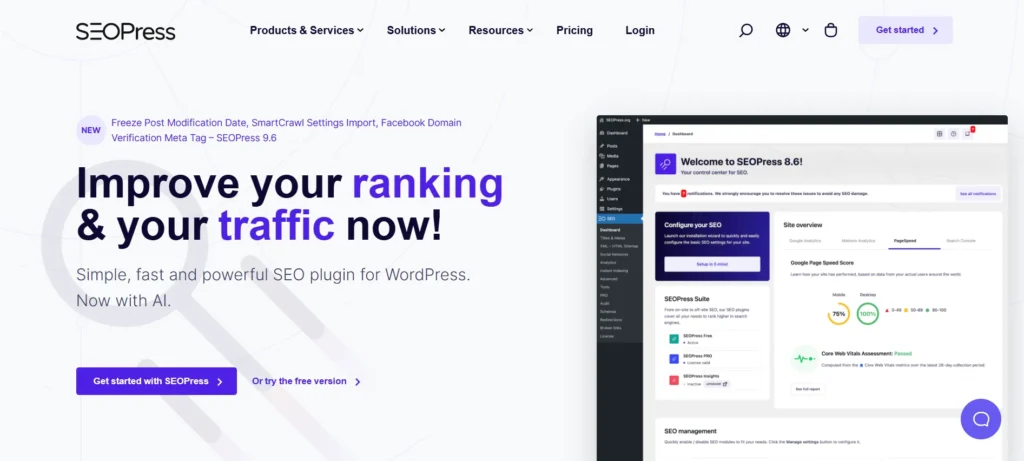
SEOPress is a multifunctional SEO extension providing both free and paid services to optimise the websites based on WordPress. It has meta tag tools, XML and HTML sitemaps tools, breadcrumb tools, and schema markups tools.
SEOPress is also compatible with content analysis, redirects, and social media previews. The plugin is also associated with lightweight, ad-free, and white-labeled which is suitable to the agencies and developers.
SEOPress offers a full-fledged performance-oriented, customisable and user-friendly SEO interface with WooCommerce compatibility and integration with Google Analytics.
Website: https://www.seopress.org/
Key Features:
- Meta titles/descriptions and social tags
- XML & HTML sitemaps
- Schema-structured data support
- Content analysis and redirections
- Google Analytics integration
Pros:
- Lightweight and fast
- No ads or upsells in the dashboard
- Affordable premium version
- White-label feature for agencies
- Full control over SEO settings
Cons:
- Learning curve for new users
- Fewer tutorials compared to some competitors
- Some advanced features are available only in the paid version
Pricing:
- SEOPress PRO 1 site- $49/year
- SEOPress PRO 5 sites- $59/year
- SEOPress PRO unlimited sites- $149/year
5. Squirrly SEO

Squirrly SEO is a powerful addition to the list of SEO Plugins For WordPress, offering AI-powered, real-time guidance to help you optimize your content effectively. It provides keyword research, SEO audits, content optimization, and a rank tracker—all directly within the WordPress dashboard.
The plugin delivers step-by-step recommendations while you write, improving both readability and keyword usage. It also includes automation features for meta tags and sitemaps, making optimization more efficient and less time-consuming.
Squirrly SEO is especially useful for beginners and content marketers who need practical insights and AI-driven suggestions to strengthen their search strategy and boost organic visibility.
Website: https://plugin.squirrly.co/
Key Features:
- AI-driven content optimization
- Live SEO assistant while writing
- Keyword research and suggestions
- SEO audits and reports
- Rank tracking
Pros:
- Helpful real-time guidance
- Good for content marketers
- Easy to use for beginners
- Integrated keyword research
- Useful analytics dashboard
Cons:
- Premium features are required for full functionality
- Some users find the interface busy
- May feel slow on large websites
Pricing:
- Free- $0
- Pro- $9.99 per month
- WEB DEV KIT- $51.20 per month
- Business- $71.99 per month
6. SmartCrawl
SmartCrawl is an SEO tool designed to make optimisation tasks for WordPress users easier. It has automation of meta tags, XML sitemaps, keyword optimization and social media integration.
The plug in also provides audits on the search engine alongside advice as to how to perform better on the site. SmartCrawl also reads Moz to give you more insights on how to improve your SEO and provides schema markup to enable search engine comprehension.
It is aimed at the users who prefer to have a simple guide to use but an effective SEO tool that can manage the technical part and leave the content creation and site development.
Website: https://wpmudev.com/project/smartcrawl/
Key Features:
- Automated SEO optimization
- Keyword suggestions and sitemaps
- Social media integration
- SEO audits and recommendations
- Moz integration for insights
Pros:
- Automated SEO optimization
- Keyword suggestions and sitemaps
- Social media integration
- SEO audits and recommendations
- Moz integration for insights
Cons:
- Automated SEO optimization
- Keyword suggestions and sitemaps
- Social media integration
- SEO audits and recommendations
- Moz integration for insights
Pricing:
- Contact Sales
7. HubSpot WordPress SEO
HubSpot WordPress SEO is the software that has the power of marketing automation and SEO tools. It offers on-page web optimization suggestions, analytics, customer relationship management, and tracking of leads.
Through the WordPress dashboard, users are able to track the sources of traffic, streamline content and control campaigns. It is not only an SEO plugin as the plugin comprises email marketing, forms, and live chat tools.
HubSpot can be a good fit in companies that need to combine SEO with more inbound marketing, and it provides information on the use as well as tracking of conversions, and optimization.
Website: https://www.hubspot.com/products/wordpress
Key Features:
- On-page SEO suggestions
- Integrated CRM and analytics
- Lead capture forms and live chat
- Email marketing tools
- Traffic & conversion tracking
Pros:
- Combines SEO with marketing stack
- Great for business growth insights
- Built-in CRM and lead tools
- Easy tracking of user behavior
- Helpful dashboard reports
Cons:
- More focused on marketing than pure SEO
- Some tools require a paid HubSpot plan
- Can be complex for small websites
Pricing:
- Starter- Custom Pricing
- Professional- Custom Pricing
- Enterprise- Custom Pricing
8. MonsterInsights

MonsterInsights is mainly an analytics plug-in that improves decision-making in SEO by combining Google Analytics and WordPress. It also gives reports on user activities, traffic origin and content performance in the dashboard.
Although it is not a standard SEO plugin, it assists with SEO tactics, allowing users to see which pages are most effective. Users are able to trace conversions, eCommerce and audience engagement.
MonsterInsights is the tool that guides website owners to make informed SEO decisions based on visitor behavior on their sites and what they can do to improve their performance.
Website: https://www.monsterinsights.com/
Key Features:
- Google Analytics integration
- Real-time stats in the dashboard
- eCommerce tracking (WooCommerce, etc.)
- Outbound link and affiliate tracking
- Custom reports and insights
Pros:
- Easy analytics setup
- Helpful eCommerce metrics
- No coding required
- Tracks scrolls, downloads, and links
- SEO score insights from analytics
Cons:
- Not a traditional SEO plugin
- Best features are available in paid plans
- Adds extra load to the the dashboard
Pricing:
- Plus- $99.50/year
- Pro- $199.50/year
- Elite- $299.50/ year
9. The SEO Framework

The SEO Framework is a performance-focused and lightweight option among SEO Plugins For WordPress, designed with simplicity and automation in mind. It automatically generates sitemaps, schema markup, and meta tags, eliminating the need for manual configuration.
One of the standout features of this plugin is its speed and privacy-focused approach, along with the absence of ads and upselling. It also offers extensions for advanced functionalities such as local SEO and AMP support.
The SEO Framework is an excellent choice for users who prefer a hands-off approach to SEO while ensuring that essential optimization tasks are handled efficiently in the background.
Website: https://theseoframework.com/
Key Features:
- Automated meta tags and titles
- Built-in schema support
- Local SEO extension
- Breadcrumbs and sitemap tools
- Focus on privacy and performance
Pros:
- Lightweight and fast
- No ads or upsells
- Good for minimal SEO needs
- Automated setup
- Extensions for advanced features
Cons:
- Fewer built-in tutorials
- Less intuitive for beginners
- Advanced tools require extensions
Pricing:
- Free- $0
- Pro- $7/month
- Business- $17/month
- Agency- $27/month
10. Redirection

The 301 redirects and 404 errors monitoring and redirection of the popular WordPress plugin are called Redirection. It assists in maintaining SEO because broken links are avoided and the URL structure is taken care of.
Users are able to create redirects easily without modification of server files. The redirect logs are also tracked with the help of the plugin, as well as insights regarding site errors, which can be used to enhance site health.
Redirection can also be applied during site migrations or URL changes to make sure that search engines and users are redirected to the right pages and such a process will not harm link equity and rankings.
Website: https://redirection.me/
Key Features:
- Manage 301 redirects easily
- Track 404 errors
- Conditional redirects
- Import/export redirect rules
- Log and monitor URL issues
Pros:
- Essential for site migrations
- Helps maintain SEO equity
- No coding required
- Easy-to-use interface
- Free and powerful
Cons:
- Not an all-in-one SEO tool
- Limited analytics beyond redirects
- No on-page SEO features
Pricing:
- Free- €0
- Starter- €20/month
- Pro- €200/month
11. Schema Pro

Schema Pro is a powerful tool among SEO Plugins For WordPress that focuses on adding structured data markup to your website. It helps search engines better understand your content and improves visibility through rich snippets.
Without needing to write any code, users can easily implement various schema types such as articles, products, reviews, and local businesses. The plugin automates schema implementation and works seamlessly alongside other SEO plugins.
Schema Pro is particularly effective for improving click-through rates in search results by creating more engaging and informative listings, making your content stand out to both users and search engines.
Website: https://wpschema.com/
Key Features:
- Adds structured data markup
- Supports multiple schema types
- Automates schema across posts
- Integrates with other SEO plugins
- Helps improve rich snippet visibility
Pros:
- Boosts SERP visibility
- Easy to implement schema
- Works with WooCommerce
- No coding needed
- Improves click-through rates
Cons:
- Paid plugin only
- Limited without other SEO tools
- Setup can be technical for some users
Pricing:
- Annual- $69
- Lifetime- $229
12. W3 Total Cache by BoldGrid

The performance optimization W3 Total Cache transfer is an indirect type of SEO as it raises the speed of the site. Reduced user time to load, increases user experience and generates better search rankings.
The extension has such options as page caching, browser caching, CDN integration and database optimization. It saves on the load of the server and enhances the overall performance of the web site.
W3 Total Cache will fit well with developers and other complex users who require finer control over caching parameters, as well as guaranteeing high performance in their websites loading and optimal technical SEO.
Website: https://www.boldgrid.com/w3-total-cache/
Key Features:
- Page and browser caching
- CDN integration
- Minification of assets
- Database and object caching
- Performance optimization
Pros:
- Improves site speed and SEO
- Compatible with many hosting providers
- Flexible caching options
- Reduces server load
- Free and widely used
Cons:
- Can be complex to configure
- Security issues in older versions
- Settings may overwhelm beginners
Pricing:
- Free Version- $0
- Pro Version (1 Site)- $99/year
- Pro Version (10 Sites)- $500/year
13. Surfer SEO
Surfer SEO is a data-driven content optimization tool that integrates seamlessly with WordPress, making it a valuable addition to SEO Plugins For WordPress. It helps users create SEO-friendly content using insights based on real search engine data.
The platform analyzes top-ranking pages and provides recommendations on keywords, content structure, and ideal length. Users receive real-time guidance while writing, helping them improve their chances of ranking higher. Surfer SEO focuses on aligning content with search engine expectations to boost quality and competitiveness.
It is especially useful for content marketers, bloggers, and SEO professionals who aim to optimize their articles for better visibility and stronger organic performance.
Website: https://surferseo.com/
Key Features:
- Content optimization recommendations
- Competitor page analysis
- Keyword research integration
- Real-time SEO scoring
- WordPress content editor integration
Pros:
- Data-driven content insights
- Helps improve rankings
- Aligns content with search intent
- Useful for writers and marketers
- Visual optimization guidance
Cons:
- Paid subscription required
- Focused on content rather than technical SEO
- Learning curve for new users
Pricing:
- Pro- $219 per month
- Standard- $119 per month
- Peace of Mind- $359 per month
14. GrowthBar SEO

GrowthBar SEO is the type of plugin that includes keyword research, content creation, and SEO optimization. It gives AI recommendations of how to better blog posts and articles, as well as the analysis of competitors and keyword information.
Elements and users can create outlines, optimise content, and performance in WordPress. GrowthBar SEO will be aimed at marketers and bloggers who would like to optimise the process of content creation without sacrificing SEO principles.
Its combination of artificial intelligence capabilities, along with insights from SEO Reporting Software, can be applied in the production of content on a large scale due to its efficiency in improving rankings on search engines.
Website: https://www.growthbarseo.com/
Key Features:
- AI-assisted content optimization
- Keyword research tools
- Competitor insights
- WordPress integration
- On-page SEO suggestions
Pros:
- AI content suggestions
- Helps streamline writing
- Good competitor analysis
- Easy-to-use interface
- Boosts SEO productivity
Cons:
- Paid plan needed for full functionality
- Not a full-suite SEO plugin
- Limited technical SEO tools
Pricing:
- Standard- $36-$48/mo
- Pro- $74-$99/mo
- Agency- $129-$199/mo
15. Ahrefs SEO WordPress Plugin

Ahrefs SEO WordPress Plugin is an application generated to offer SEO insights and on-page optimization recommendations based on the Ahrefs data. It assists users to examine content performance, spot keyword opportunities, as well as optimise current pages.
The plugin is based on the Ahrefs powerful backlink and keyword database, where actionable advice is provided. It helps to monitor the measurement of SEO, content organisation, and competitor strategy.
This is a great plugin that requires its users to be already acquainted with Ahrefs-based tools, but it brings the benefit of having advanced SEO analysis in their WordPress workflow.
Website: https://ahrefs.com/wordpress-seo-plugin
Key Features:
- On-page SEO analysis using Ahrefs data
- Backlink insights and recommendations
- Keyword opportunity suggestions
- Integration with Ahrefs tools
- Content performance tracking
Pros:
- Leverages Ahrefs’ powerful data
- Great for competitive research
- Improves keyword targeting
- Helpful SEO insights
- Backed by a trusted SEO platform
Cons:
- Requires an Ahrefs subscription
- Not beginner-focused
- Best used with the Ahrefs suite
Pricing:
- Lite- $129/mo
- Standard- $249/mo
- Advanced- $449/mo
Comparison: SEO Plugins For WordPress
| Plugin | Best For | Ease of Use | Focus | Pricing |
|---|---|---|---|---|
| Yoast SEO | Beginners and general websites | High | On-page SEO, readability, meta optimization | Affordable monthly |
| All in One SEO (AIOSEO) | Complete SEO solution | High | On-page + technical SEO + WooCommerce | Mid-range yearly |
| Rank Math | Intermediate and advanced users | Medium | Feature-rich SEO, automation, analytics | Budget monthly |
| SEOPress | Developers and agencies | High | Lightweight SEO with analytics and schema | Budget yearly |
| Squirrly SEO | Content marketers | Medium | AI-based content optimization | Affordable monthly |
| SmartCrawl | Simple SEO automation | Medium | Automated SEO and Moz insights | Custom pricing |
| HubSpot WordPress SEO | Marketing and SEO combined | Medium | SEO with CRM and marketing tools | Custom pricing |
| MonsterInsights | Analytics-focused users | High | Analytics and performance tracking | Mid-range yearly |
| The SEO Framework | Performance-focused sites | High | Lightweight and automated SEO | Free and paid plans |
| Redirection | Redirect and error management | High | 301 redirects and 404 tracking | Free |
| Schema Pro | Structured data and rich snippets | Medium | Schema markup | Paid |
| W3 Total Cache | Speed and performance optimization | Medium | Caching and performance | Free and paid |
| Surfer SEO | Content optimization | Medium | Data-driven content optimization | Premium |
| GrowthBar SEO | AI content and keyword research | High | AI-assisted SEO and content creation | Premium |
| Ahrefs SEO Plugin | Advanced SEO research | Low | Backlinks and keyword analysis | Premium |
Ending Thoughts
In conclusion, SEO Plugins For WordPress play a crucial role in optimizing websites for better search engine visibility and overall performance. They simplify complex SEO tasks such as keyword optimization, meta tag management, sitemap generation, and content analysis, making them accessible to users of all skill levels.
Choosing the right plugin depends on your specific needs, budget, and website goals. By leveraging these tools effectively, you can enhance your site’s structure, boost rankings, and improve user experience. When combined with high-quality content and a well-planned strategy, consistent use of SEO plugins can drive long-term organic growth and sustainable online success.
FAQs
1. Why Do I Need an SEO Plugin For WordPress?
SEO plugins simplify optimization tasks, improve search visibility, and help your website rank higher in search engine results with minimal technical effort.
2. Which is The Best SEO Plugin For Beginners?
Plugins like Yoast SEO and Rank Math are popular among beginners due to their user-friendly interface and guided optimization features.
3. Can I Use More Than One SEO Plugin?
It is not recommended to use multiple SEO plugins simultaneously, as they may conflict and negatively affect your website’s performance.
4. Do SEO Plugins Guarantee Higher Rankings on Google?
SEO plugins help optimize your website and improve its chances of ranking higher, but they do not guarantee top rankings. Success also depends on content quality, backlinks, user experience, and overall SEO strategy.
5. Are Free SEO Plugins Enough for a WordPress Website?
Free SEO plugins are often sufficient for basic optimization needs, especially for beginners. However, advanced features like deeper analytics, schema options, and automation may require premium versions depending on your goals.
